
Follow the simple steps to enable or disable Homepage support in AMP:
Once you install and activate our AMPforWP plugin then we will have these two options
- Basic Setup View
- Advance Setup View
If you are a new user then I recommend you to use Basic Setup View because these are the main settings and once you setup that you are AMP is ready.
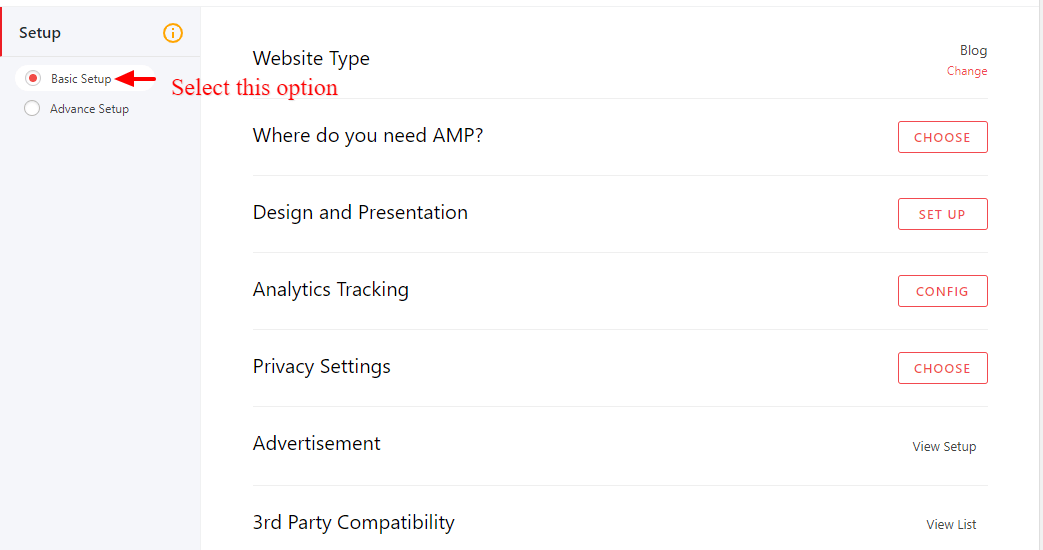
Where do you need AMP?
If you want to change where do you need AMP then you need to click on Change link like below the screenshot.

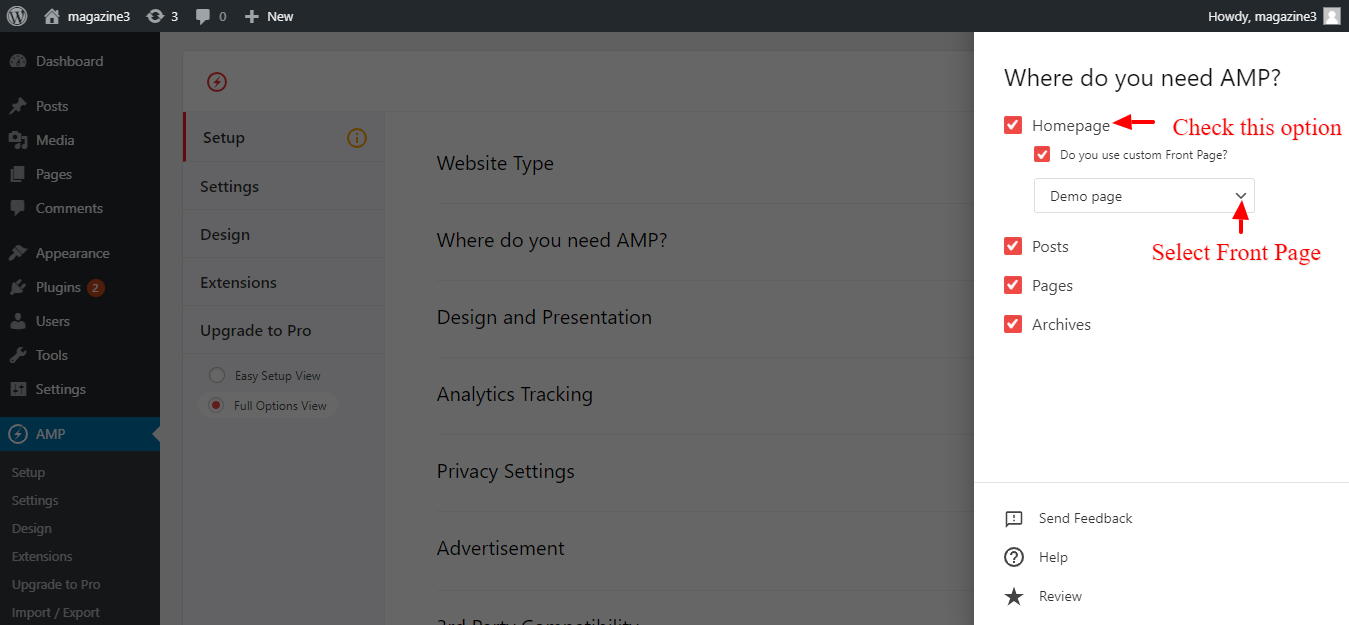
In this where do you need AMP? option you can chek Homepage option. By default, AMP shows your website Latest Posts. If you want to Show Static Front Page on your AMP site Homepage, then Check Do you use Custom Front Page? option.
- Select A Page, which you want to use as Static Front Page on your AMP site.
That’s it for this tutorial!
We hope it helped you. If you have any feedback or questions, then please share them in the comments section below.
My AMP homepage only works if i check “Pages” in section “AMP support”, but the pages still not designed for AMP yet.
How i fix this? If i just checking “homepage” and “custom front page” my homepage still in normal version, without redirection for AMP version what i created.
Tks
Hi Gustavo Aires,
We have checked and found that it’s working fine will you please contact our technical team from here- https://ampforwp.com/support/ they will help you as soon as possible.
Help me, my blog doesn’t show my latest articles accordingly. Latest posts are at the bottom, and cant reduce the numbers of post on the homepage
Hi Olamide,
Will you please contact our technical team from here- https://ampforwp.com/support/ they will help you as soon as possible.
when I want to change the option
Where do you need AMP I click on change option but it doesn’t respond
Hi Najeeb,
Will you please contact our technical team from here- https://ampforwp.com/support/ they will help you as soon as possible.