
First of all, this is just a WARNING. It is NOT an error. AMP pages will still get indexed and displayed in Google’s search results. it’s just one of the Google new requirements.
If you are facing this type of Warnings we have two solutions to solve this
According to Google, Below are the Image required properties:
1. Images should be at least 1200 pixels wide.
2. Every page must contain at least one image (whether or not you include markup). Google will pick the best image to display in Search results based on the aspect ratio and resolution, etc.
3. Images must be in .jpg, .png, or .gif format.
You can read more from Here:
Below is the screenshot of the Google Search Console (webmaster tool ) with the warnings
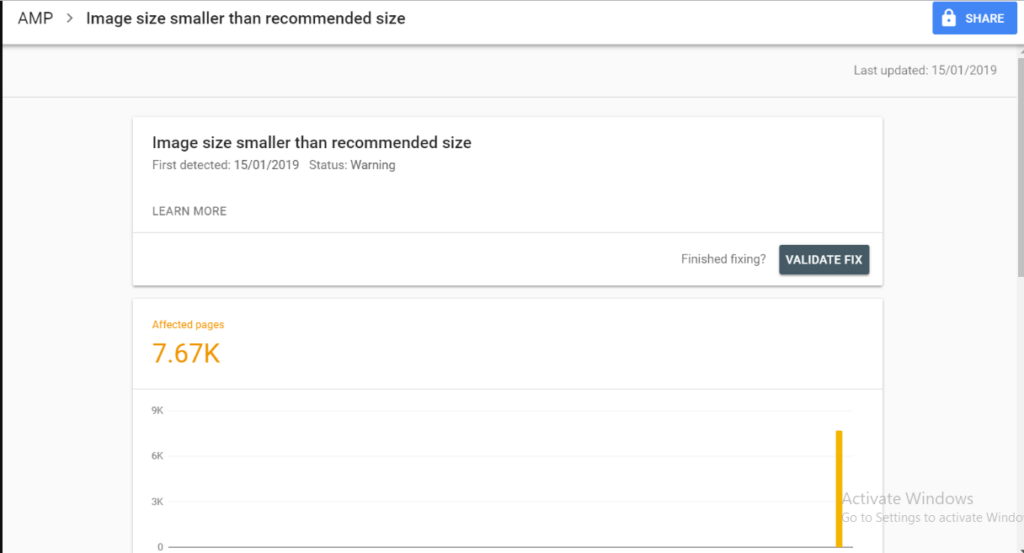
we have already fixed this issue and pushed in 0.9.97.27 version. Please update to this version but If you still have any issues/problems after updating also then please contact our support team.
1. For Jetpack user try this solution
If you are using the “Jetpack performance” plugin then disable Image Performance option.
Go to WordPress dashboard -> Jetpack -> Performance -> Enable image performance option

2. For Yoast user try this solution
If you are using the “Yoast” plugin then you need to enable Yoast SEO plugin for this first you need to install Schema & Structured Data for WP & AMP plugin.
After installing you will find this option in WordPress Dashboard -> Structure Data -> Settings -> Compatibility
Please refer to the below steps and checked the box of Yoast in the Compatibility section of the options panel and save it.

That’s it for this tutorial!
We hope it helped you. If you have any feedback or questions, then please share them in the comments section below.
Since I am using both Jetpack and Yoast, I have followed both suggestions, but I am still getting this warning.
Hi Scott,
Will you please contact our technical team from here- https://ampforwp.com/support/ they will help you as soon as possible.
hello, I dont have any of these settings enabled, in fact, I am using rank math not Yoast SEO. and in a jetpack, image performance is not enabled then also I have this error Image size smaller than the recommended size amp warning. one time the validation is also failed in search console. Can you please tell me how to solve this issue.
Hi Jack,
Will you please contact our technical team from here- https://ampforwp.com/support/ they will help you as soon as possible.
How to remove AMP image Error
https://www.mykisan.net/post/pfms-kya-hai
Hi Krishna,
Will you please contact our technical team from here- https://ampforwp.com/support/ they will help you as soon as possible.
Hi, I’m receiving – Image size smaller than recommended size issue. I rectified using suggestions in the above post. Don’t know the issue is back again and not solving.
Hi Sam,
Will you please contact our technical team from here- https://ampforwp.com/support/ they will help you as soon as possible.
My AMP website Thumbnail is so blurry……
Please look at my Amp Version https://www.pavithran.net
Hi karthik M,
Will you please contact our technical team from here- https://ampforwp.com/support/ they will help you as soon as possible.
Maintained images above 1200px works fine for me.
Hi Neha,
Will you please elaborate more about your issue so that we will understand and help you.
How to add amp in https://arjunpedia.com/up-fcs-ration-card-list/
Hi Kirti,
Will you please contact our technical team from here- https://ampforwp.com/support/ they will help you as soon as possible.
Dear ampforwp team,
What does this error :
” CSS syntax error in tag ‘style amp-custom’ ” mean ?
I have affected pages with same error which won’t be solved.
Hi Sahar,
Will you please contact our technical team from here- https://ampforwp.com/support/ they will help you as soon as possible.
Hi,
I’m usnig the version 1.0.77.16 but I steel get Image “size smaller than recommended size amp” issue.how can I fix this? https://prnt.sc/1jg7tzg
Hi Dztechs,
Will you please contact our technical team from here- https://ampforwp.com/support/ they will help you as soon as possible.