
How to Upload zip file :
Step 1: From the dashboard, we go to the left-hand side in the Menu bar go to Plugin.

Step 2: Go to the plugin -> Add new. At the top, right next to the work Add New is a button Upload Plugin. Click that button, and a new area of the page should become visible to you.
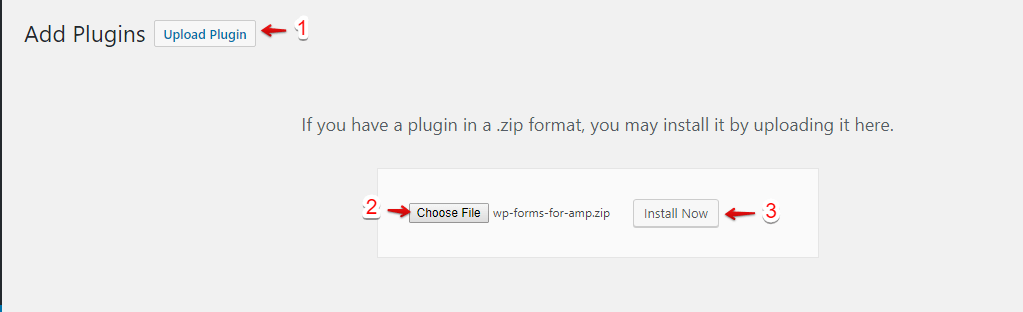
Step 3: In this, you can drag-and-drop or use the Choose File
Step 4: Click on the install now button.
Step 5: Once installed, you need to click on the Activate Plugin link.

4. Done! The AMP Cache will be visible on the AMP version of your site like below the screenshot.

That’s it for this tutorial!
We hope it helped you. If you have any feedback or questions, then please share them in the comments section below.