
In this tutorial, I’ll show you how to remove the “Comments are closed” button from AMP pages.
The button will appear like this

You can add this CSS to remove it
.amp-comment-button {
    display: none;
}
You need to add this code in the WordPress Dashboard -> AMP option panel-> Design -> Global -> In Custom CSS add this code like below the screenshot.
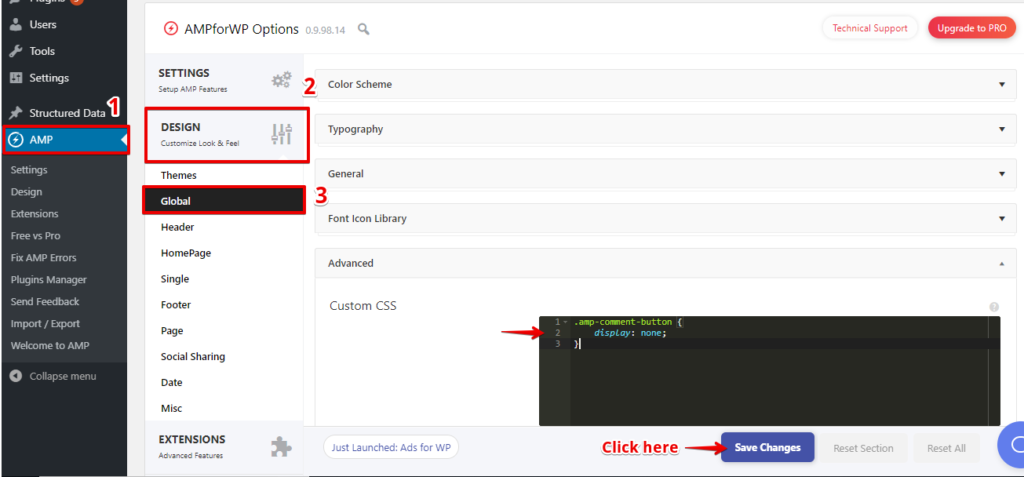
After removing Comments are close button

That’s it for this tutorial!!!!
We hope it helped you. If you have any feedback or questions, then please share them in the comments section below.
how to change .ampforwp_comment_button_url’s link? Can I edit it in plugin Editor directly?
<a href="
Hi Yong,
Will you please contact our technical team from here- https://ampforwp.com/support/ they will help you as soon as possible.