
Follow these steps to enable lightbox for Youtube in AMP
You will find this option in WordPress Dashboard -> AMP option panel -> Design -> Single -> Enable “ Lightbox for Youtube Video” and click on the “Save Changes” button.
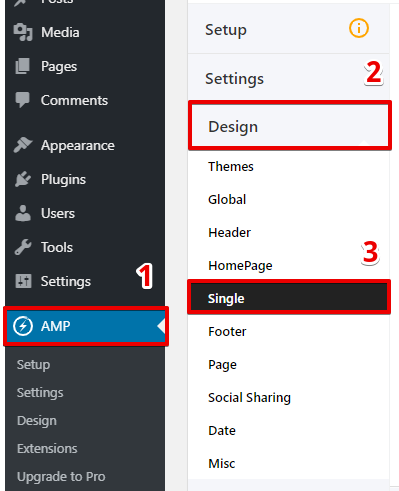
Scroll down a little to see this option

Lightbox for Youtube Video: Enable this option to show lightbox for Youtube in AMP.
To make it easy, we have created a video also
That’s it for this tutorial!
We hope it helped you. If you have any feedback or questions, then please share them in the comments section below.