
Follow the simple step to download an extension:
First, you need to login to the account area then you will see this section.
Once you login to the account area you will get this screen you need to click on the “Downloads” option.

Click on the arrow icon on right like the below screenshot.

Once you click on this arrow icon it will redirect to the next page.
First, you need to purchase the package page it will be redirected to the next page. There is two important Section.
1. License Keys:
- Click on the “Files” tab once you click on the “Files” tab here is a list of extension and which key you want to just click on the “View License” link like below the screenshot.

- Now just copy the license key of the extension.

2. Products:
In this section, all extension zip files are available which product zip file you want to click on download. Once you click on it that particular extension zip file will be downloaded.

How to Upload zip file :
- From the dashboard, we go to left-hand side in Menu bar go to Plugin.

2. Go to the plugin -> Add new. At the top, right next to the work Add New is a button Upload Plugin. Click that button, and a new area of the page should become visible to you.

3. In this, you can drag-and-drop or use the Choose File button to use your system’s file browser to find the ZIP file.
4. Click on the install now button.
5. Once installed, you need to click on the Activate Plugin link.
How to Set the license key.

Once you Activate plugin. click on please enter the license key link this page is redirect to next page.
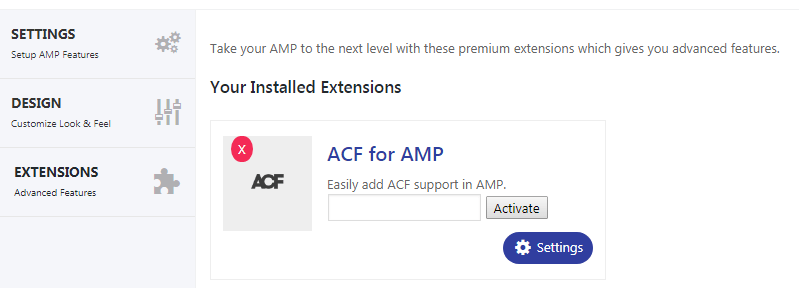
Here, you need to enter the license key. click on the Activate button.
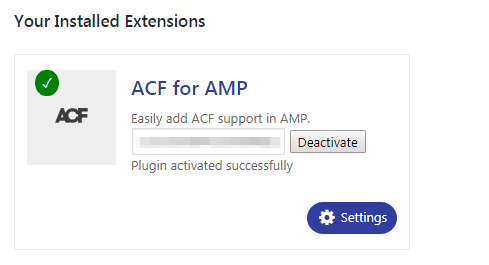
successfully license key is activated.
How To Renewing your license key :
Renewing your license key it will gives you continued access to Premium downloads. If your license key is expired, you can renew it.

In this option, user enter the license key

That’s it for this tutorial!
We hope it helped you. If you have any feedback or questions, then please share them in the comments section below.