
This tutorial helps you to display the pop-up notifications and It requires the Popup for AMP extension.
1. Download and Install the extension from the account area.
2. Upload and Activate it.
3. Now the AMP Popup option will be displayed in the WordPress options panel.
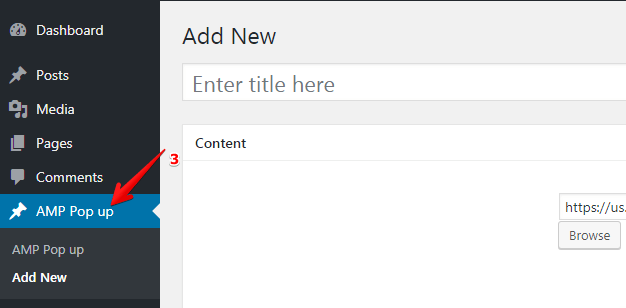
4. After clicking the AMP Popup option you will be able to see the add your new pop options.
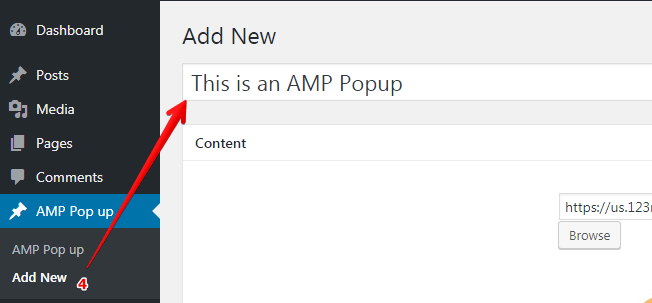
5. Following you may add, the image of your own choice with heading and paragraph.

6. Also, you can apply the condition and timing of popup with Pop Up Background Color and Content Background Color.

7. Enter the Time to Delay the Pop up: The Time Delay is an event that displays a popup after a preset time starting from when a visitor first opens a post or page.
8. Here you can modify “Pop Up Background Color” as well as “Content Background Color”.

9. Now you can create an AMP Popup as many as you want.
The Output of AMP Popup

That’s it for this tutorial!
We hope it helped you. If you have any feedback or questions, then please share them in the comments section below.
Hello..
i use a pop-up amp. I want to reduce the padding on the button. I’ve tried adding css to additional css, but it doesn’t work. and I’ve been looking for looking, still can’t find it. I also tried adding style to the head tag. but still not working.
oh yes here using AMP PopUp on WordPress
Hi Astrid,
Will you please contact our technical team from here- https://ampforwp.com/support/ they will help you as soon as possible.
Could you help me with the issue with AMP pop-up: I was under the impression that the pop-up will appear when a button is pressed. But that is not happening. Here is a quick screencast: https://www.loom.com/share/e0e77a107f9e4f4380689e9bfc7d3a37
Hi Sambuno,
Will you please contact our technical team from here- https://ampforwp.com/support/ they will help you as soon as possible.
I’ve hidden the popup on the contact us page but when I run the Contact Us page on AMP the popup is shown.
Hi Ashish Developer,
Will you please contact our technical team from here- https://ampforwp.com/support/ they will help you as soon as possible.