
If you want to change or modify the width, height and responsive for In-Content Related Post image loop then you need to add below the filter
Example code:
add_filter('ampforwp_modify_inline_rp_loop_image','dummy_function');
function dummy_function($args){
    $thumb_url_2 = ampforwp_get_post_thumbnail('url');
    list($width, $height) = getimagesize($thumb_url_2);

   $custom_img = preg_replace(
     '/<amp-img src=(.*?)\s(.*)width=(.*?)\s(.*)height=(.*?)\s(.*)layout=(.*?)\s><\/amp-img>/',
      '<amp-img src='.$thumb_url_2.' width='.$width.' height='.$height.' layout="responsive" class="img-cover"></amp-img>', $args);


  $custom_changes .= '<div class="image-container-rltd">';
  $custom_changes .= $custom_img;
  $custom_changes .= '</div>';
  $args = $custom_changes;
  return $args;
}
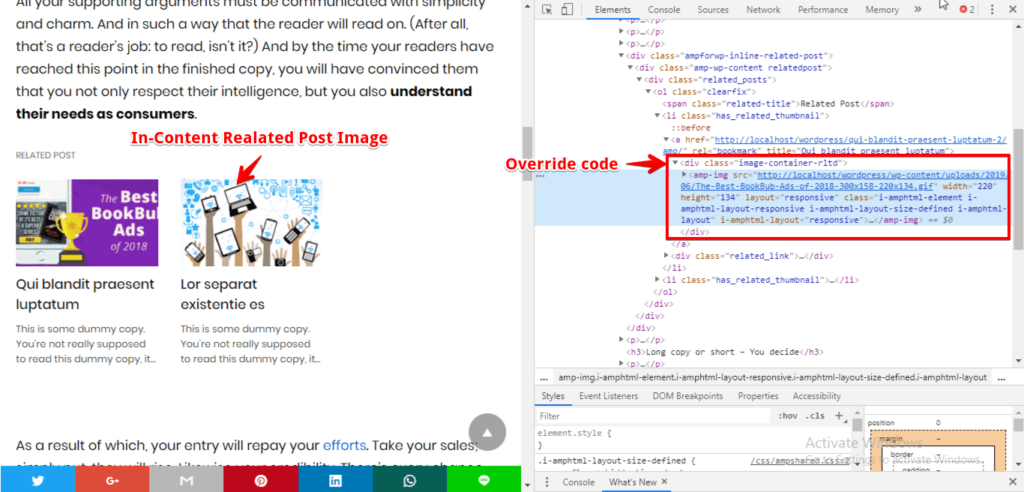
The Output of In-Content Related Post image loop
That’s it for this tutorial!
We hope it helped you. If you have any feedback or questions, then please share them in the comments section below.