
If you are facing the issue of Icon not loading properly when using Google AMP CDN
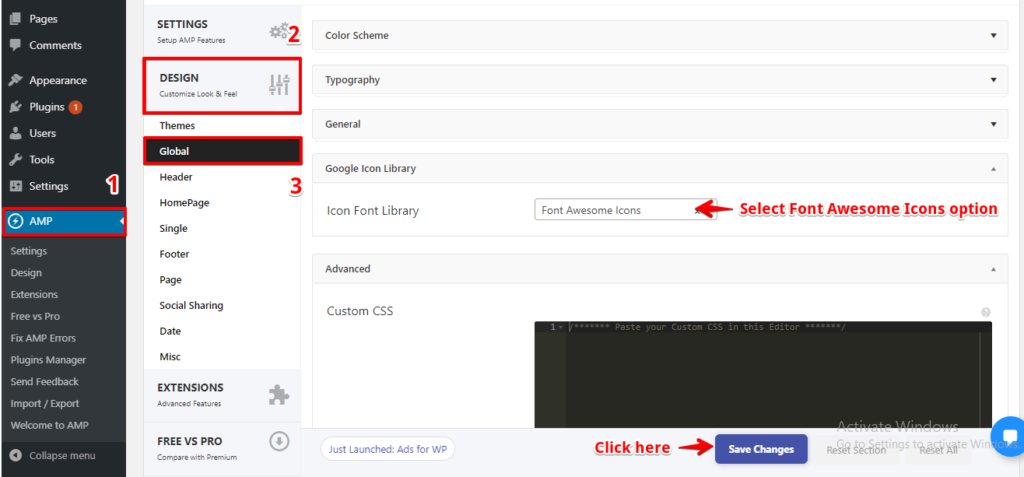
You need to switch the option of “Icon Font Library” to “Font Awesome Icons” By selecting this all your Icons will be displayed properly when going through Google AMP CDN for this follow below steps.
You will find this option in the WordPress Dashboard -> Navigate to AMP Option Panel -> Design -> Global -> In “Icon Font Library” you need to select “Font Awesome Icons” option and then click on the “Save Changes” button.
Note: It seems to take as little as 7 days for a site to be crawled by Google.
That’s it for this tutorial!
We hope it helped you. If you have any feedback or questions, then please share them in the comments section below.