Google Tag Manager (GTM) is a valuable tool that helps website owners consolidate their multiple tracking services into one, and gives a user one simple dashboard for all their analytics scripts.
First, you need to create a Tag manager (Container ID) :
Create the Google Tag Manager container at:
https://tagmanager.google.com
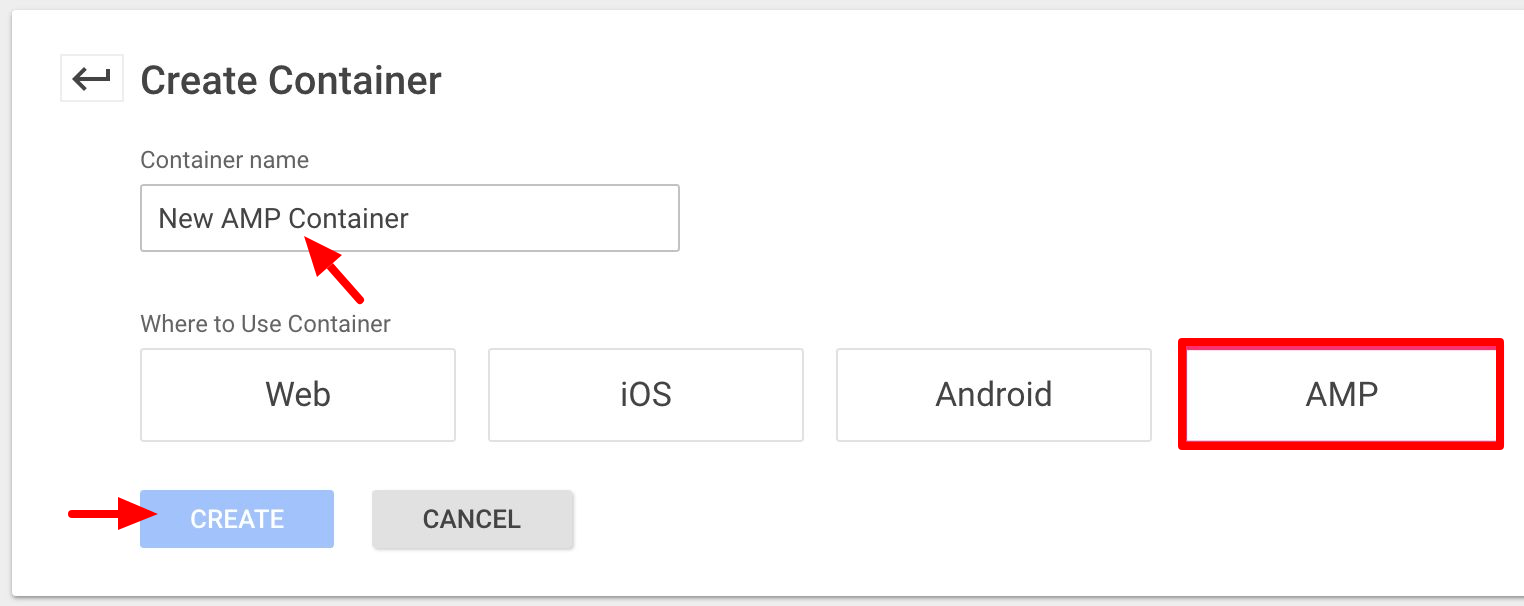
Then you should create separate containers for the standard WordPress site and the AMP version.
creating the AMP container then you must choose container type= “AMP”
When creating the container for use with the NON-AMP then you should create a container type= “Web”
This means there will be different “container” / “container type” and different tags for the AMP and the non-AMP version of the site.
Follow the steps below to Add Google Tag Manager ( GTM ) in AMP for WP:
We are always updating this tutorial. If you have an insight or something that can help other users, then please write to us below.
If gtm amp container is correctly setup then also if you are getting cors policy error like the below screenshot then make sure the amp container is published and once you published it then this error will be fixed.
That’s it for this tutorial!
We hope it helped you. If you have any feedback or questions, then please share them in the comments section below.
If you want to add an AWeber form in AMP then first you need to…
Webpushr is the fastest growing web push notifications platform that marketers love & developers rely…
Follow these steps to add Adobe Analytics in AMP Step 1: Go to WordPress Admin Area -> AMP…
Core Web Vitals are the subset of Web Vitals that apply to all web pages,…
The following reasons can be shown for non-indexing. Server error (5xx) Your server returned a 500-level…
We have added the Google Analytics 4 ( GA 4 ) integration in AMPforWP v1.0.80.…