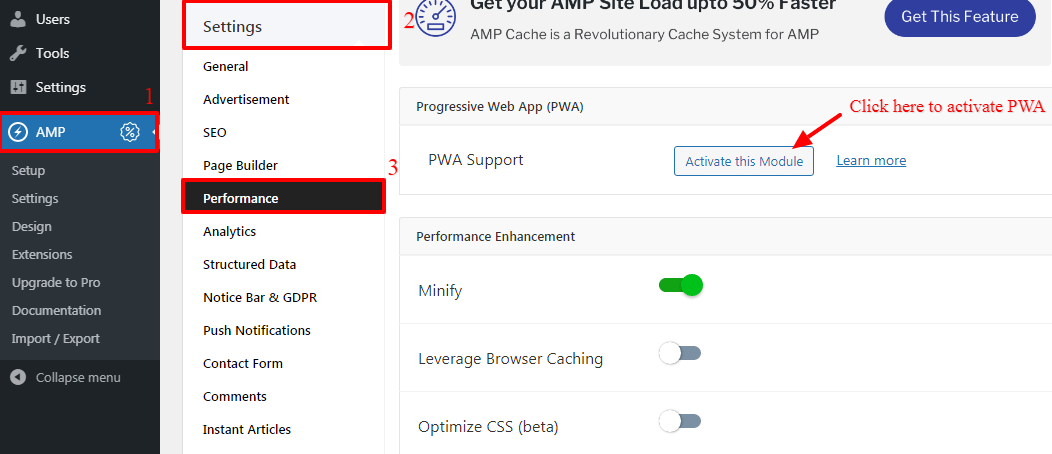
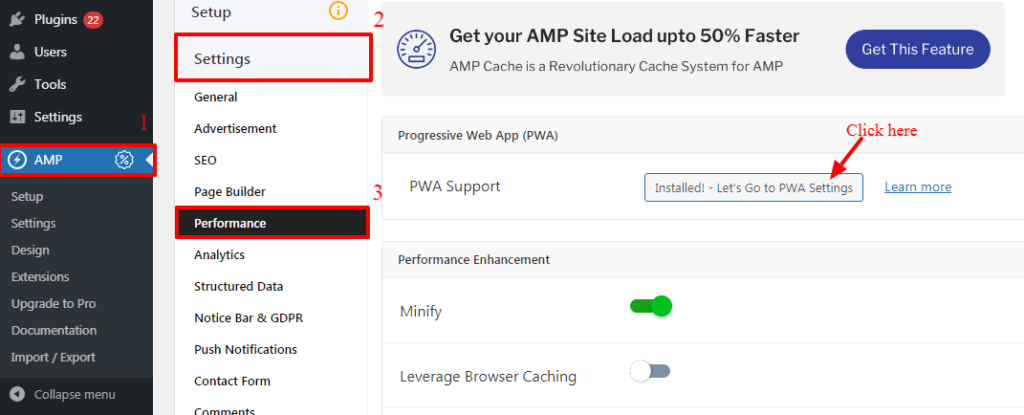
We are very happy to inform you that we are implementing Progressive Web Apps Feature in our Core Plugin is a free extension which is called PWA for WP
Progressive Web Apps (PWA) is a new revolutionary technology which makes your website into a web application and gives your user’s a native mobile app-like experience.
Initially, it was paid add-on but we’ve received many requests from our users to make it open source.
So keeping in mind our user’s request, we have decided to implement this feature in our core to make sure that our users can utilize the benefits of Web App functionality without paying any amount.
That’s it for this tutorial!
We hope we’ve clear your doubts in case If you have any questions, then please share them in the comments section below.
If you want to add an AWeber form in AMP then first you need to…
Webpushr is the fastest growing web push notifications platform that marketers love & developers rely…
Follow these steps to add Adobe Analytics in AMP Step 1: Go to WordPress Admin Area -> AMP…
Core Web Vitals are the subset of Web Vitals that apply to all web pages,…
The following reasons can be shown for non-indexing. Server error (5xx) Your server returned a 500-level…
We have added the Google Analytics 4 ( GA 4 ) integration in AMPforWP v1.0.80.…