Follow the steps:
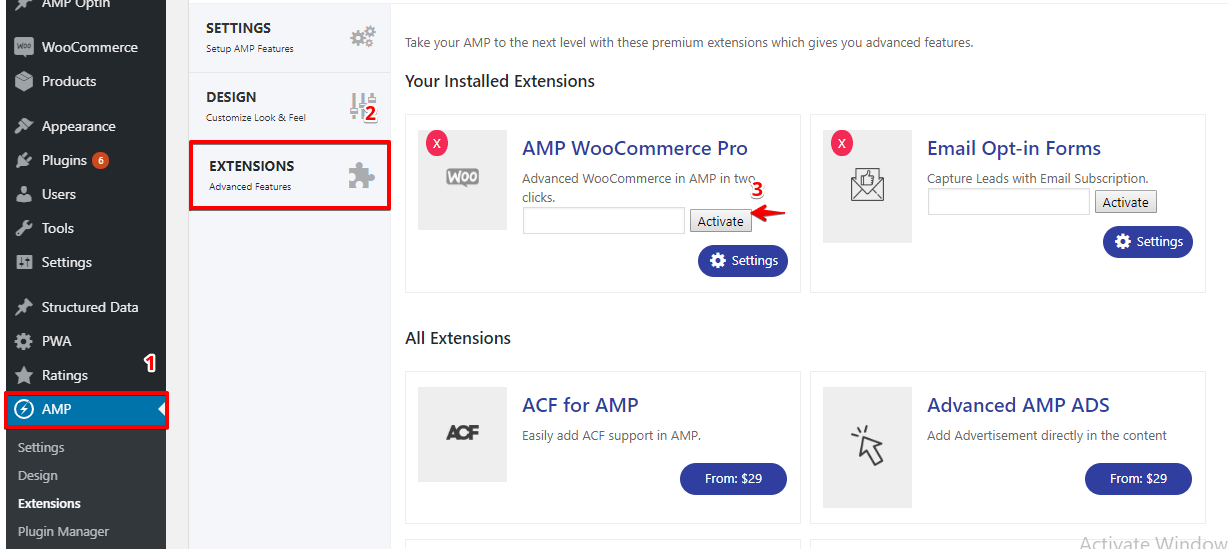
- After installing the AMP Extension on your Website, It will ask you to Activate the License key in the AMP Extension panel.
- You will find this option in AMP option panel -> Extensions
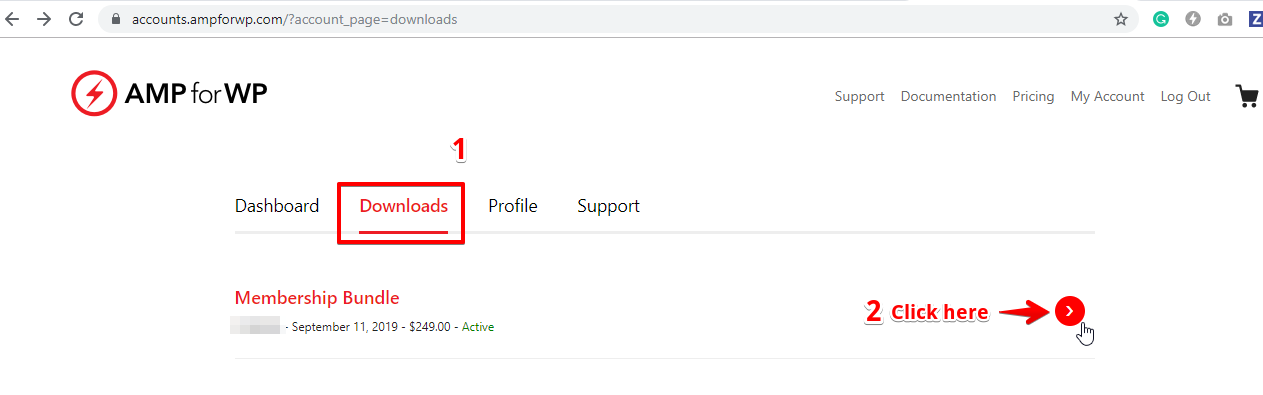
- You will find your extension license key in the Accounts Area
- Once you login to account area you will get this screen you need to click on the “Download” option click on the “Arrow Point To Right” like below the screenshot.
- You will redirect to next page click on the “Files” panel and then just click on the “View License” link like below the screenshot.
- Now just copy the licence key of the extension
- After Coping the license key go to AMP Settings Extension Panel option in that paste the License key which you have copied from the Account member area and click on Activate.
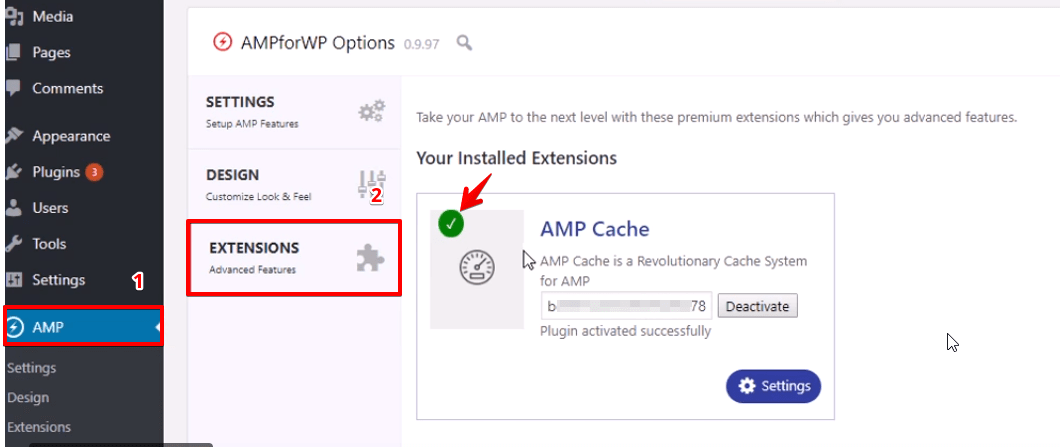
- Now your license key is activated, you just need to update the extension whenever you will get the update notice.
- Now your license key is activated.
Troubleshooting
-
- If you are an existing user and you don’t have the license key then you can find Here.
- If you are facing the update issue after activating the license key then I recommend you to Download the latest copy of your extension from Accounts area and replace it with the one you have installed on your website, And make sure you have the Latest version installed of AMPforWP plugin.
Here is the Video tutorial on how to activate the license key.
That’s it for this tutorial!
We hope it helped you. If you have any feedback or questions, then please share them in the comments section below.